# Home
## Welcome!
Welcome to the Monta Public API!
With the popularity of EVs growing worldwide and listening to our users the Public API is here! The API is designed to help EV owners to have an easier path to build automations, dashboards, and analyze their data.
This documentation will guide you through the steps to set up your access, as well as show you how to use our APIs.
Have fun!
## Getting Access
In order to obtain an **access token** for our endpoints, you need to provide a `clientId` and `clientSecret`. You can create them in Monta Hub: [https://hub.monta.app/profile/applications](https://hub.monta.app/profile/applications)
:::tip
You can create as many applications with their own client credentials in Monta Hub as you want. We suggest creating a unique application for each of your consumers, e.g. one for **home assistant** and another one for others.
:::
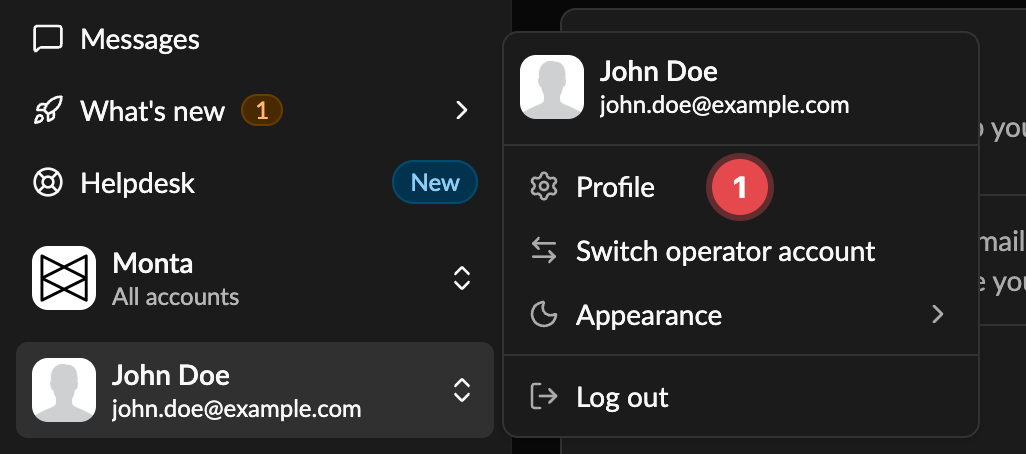
To set up the application, sign in to Monta Hub, click your user at the bottom left and select **Profile**. Then click **Personal API keys** at the top right of your profile to open **Applications**.
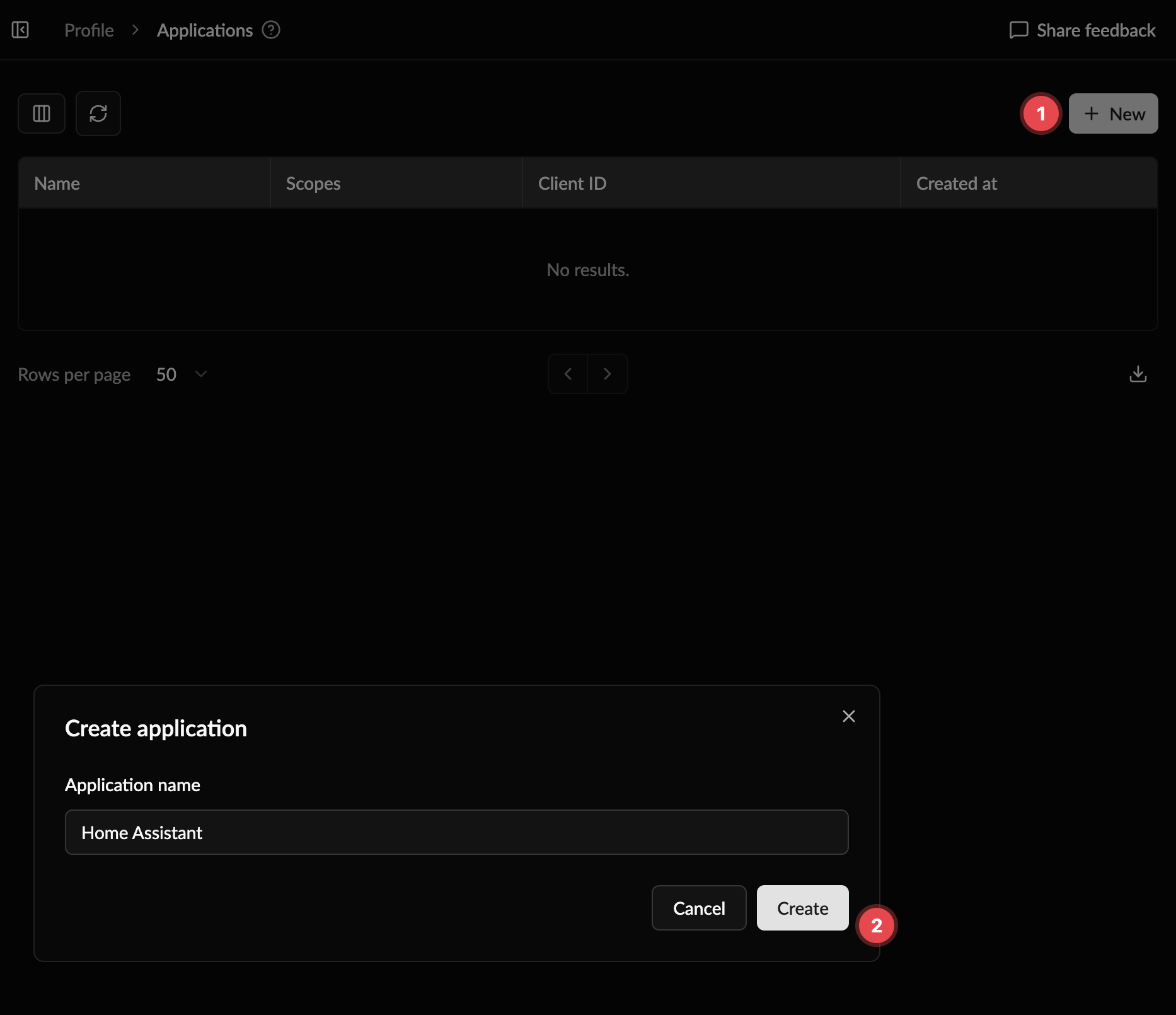
 Click **New**, enter a name and click **Create**. You will be presented with your `clientId` and `clientSecret`.
 :::danger
Note that your `clientSecret` will be **only visible now**, make sure to store it securely (e.g. in a password manager). If you forgot your `clientSecret` or need to renew it, use **Reset credentials** on the application in the list.
:::
The generated clientId and clientSecret will be used to authenticate with our API and obtain an accessToken. This accessToken will be used for any subsequent calls to our API. Read more about it in [Authentication](/reference/authentication).
## Changelog
See: [Changelog](/changelog)
:::danger
Note that your `clientSecret` will be **only visible now**, make sure to store it securely (e.g. in a password manager). If you forgot your `clientSecret` or need to renew it, use **Reset credentials** on the application in the list.
:::
The generated clientId and clientSecret will be used to authenticate with our API and obtain an accessToken. This accessToken will be used for any subsequent calls to our API. Read more about it in [Authentication](/reference/authentication).
## Changelog
See: [Changelog](/changelog)